|
|
Making
a Breakable Window:
1st style) First Make
your walls and window opening in the wall, then make a
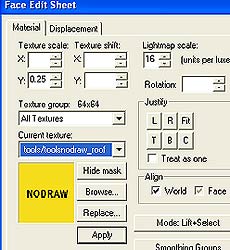
brush covered in the nodraw texture
(seen below).Browse to the texture and select it
(you can put in a keyword in the texture window
filter box *filter word- tools or nodraw*).
Then browse for a window texture,
with the breakable name in it (glasswindowbreak).Like
below image. *filter word- glass*
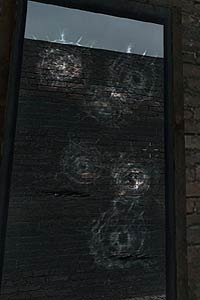
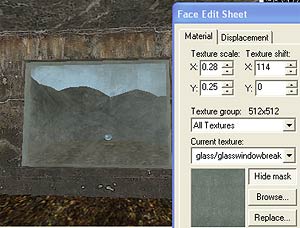 Use your texture
application tool to apply it to one side of the glass only. Now using
your pointer highlight the window brush and hit the "To Entity"
button ,and tie the
window to the func_breakable_surf
entity. Set the properties in the property
window, such as Health(strength of glass), Material
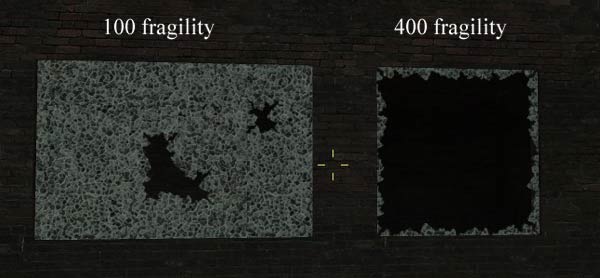
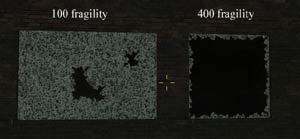
Type, Prop data, Fragility(how easily the smaller pieces shatter)(example-
100 - 200 looks like real glass,400 it shatters most of the glass once
it breaks) . *(also no need to set fx amount or render modes like
the old engine.) Use your texture
application tool to apply it to one side of the glass only. Now using
your pointer highlight the window brush and hit the "To Entity"
button ,and tie the
window to the func_breakable_surf
entity. Set the properties in the property
window, such as Health(strength of glass), Material
Type, Prop data, Fragility(how easily the smaller pieces shatter)(example-
100 - 200 looks like real glass,400 it shatters most of the glass once
it breaks) . *(also no need to set fx amount or render modes like
the old engine.)
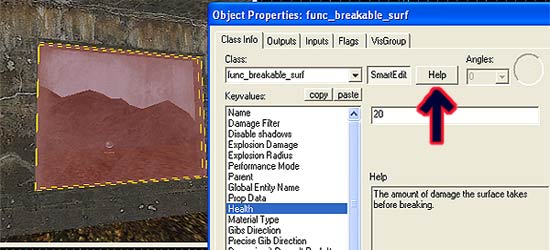
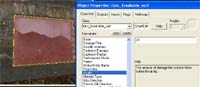 (You can press the Help button in the property window
for alot of the entity's property selections)
(You can press the Help button in the property window
for alot of the entity's property selections)
 Add in an env_cubemap entity
in front of the glass.
Add in an env_cubemap entity
in front of the glass.
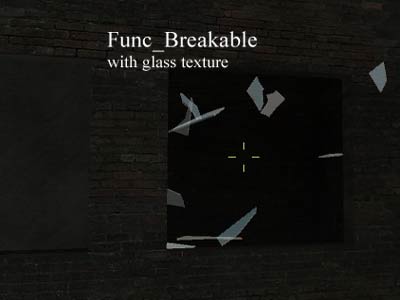
2nd style) You can also make func_breakable
windows with the health amount set to your liking and it will break into
several pieces without leaving the shattered pieces along the edges.Just
like the old engine windows.(also check other settings to your liking)
*(also
no need to set fx amount or render modes like the old engine.)
3rd style) To make an unbreakable window
simply make the window brush and put the glass texture on both
sides of the window and leave as a normal brush (No
Entity). and it will not stop bullets.
|
|