|
Making a Rotating Door
First thing to do is build a wall
where door will go.Make 3 brushes and leave an opening
where door will be placed. Now build the door brush and texture it.
Use the Texture
Application Tool to apply textures and fit them on there properly.
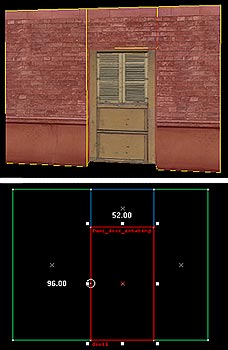 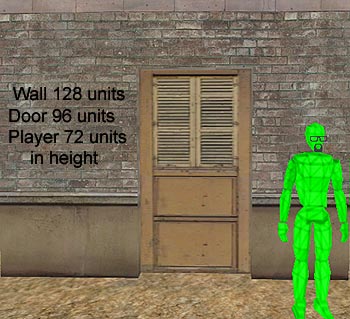
Then highlight the door brush and click the "To
Entity" button on right side of Hammer and
tie the brush to the func_door_rotating entity.
In the properties window is where you can select
all the options you want for your door. (name it and have other entity's
trigger it , speed of door,
sounds it makes, delay before closing, etc) Just go thru the options and
pick what you want.
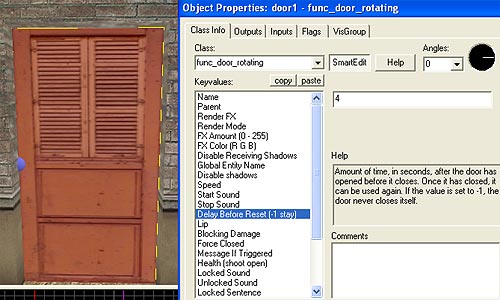
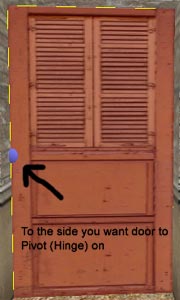
Then in the 2d view of the
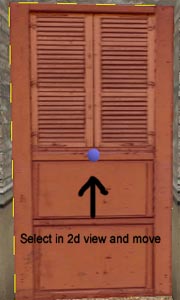
door brush grab and drag the round circle
in the middle
and move it to the side of the door you want
the door to pivot (hinge) on.
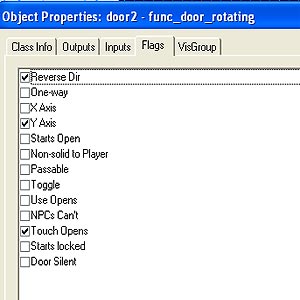
You can also make doors swing up or down , reverse the direction,one
way the door,
set how the door is activated. All this can be done with the Flags
options.
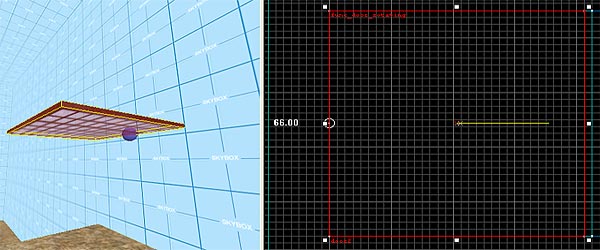
The door in the picture above will rotate up and down With the options
picked below.
The blue ball in left picture is the hinge, it's the white circle in the
right image.
|